How to Find a PDF by Its Content on Mac and Windows

Your Downloads folder has dozens of PDFs called document.pdf, invoice (2).pdf and scan_0412.pdf. You need the one that mentions a particular company, amount or address, and opening them one by one is not an option.
The good news: you can search the words inside PDFs, not just their names. Here's how on Mac and Windows, plus what to do when a PDF is a scan with no words in it at all.
On a Mac: Spotlight
Spotlight reads the text inside PDFs. Press ⌘ Space and type a phrase you remember from the document: a company name, an invoice number, a street. To see only PDFs, add kind:pdf:
kind:pdf water bill septemberPress ⌘ Return on a result to show it in Finder.
On a Mac: Finder search
Finder gives you more control, and you can search one folder:
- Open the folder (for example Downloads) and press ⌘ F.
- Type your words and choose Contents (not Name) under the search box.
- Click the Downloads button next to "Search: This Mac" to stay in that folder.
- Click + and set Kind is PDF to hide everything else.
Sort the results by Date Added if you roughly remember when you got it. If Spotlight or Finder find nothing at all, the index may be the problem: see Spotlight not working on Mac.
On Windows: File Explorer
Open the folder in File Explorer, click the search box and type the words with a file-type filter:
ext:pdf water billIf it only matches file names, Windows isn't reading inside your PDFs there. Two settings to check:
- Settings → Privacy & security → Searching Windows: choose Enhanced, or add the folder under Classic.
- For folders that aren't indexed: in File Explorer click ⋯ → Options → Search and tick Always search file names and contents. It's slower, but it looks inside the files.
If search doesn't work at all, see Windows Search not working.
With Adobe Acrobat Reader (Mac and Windows)
The free Acrobat Reader can search every PDF in a folder at once. Open any PDF, press Shift + ⌘ F on a Mac or Shift + Ctrl + F on Windows, choose All PDF Documents in and pick the folder. It lists each match with the sentence around it.
When the PDF is a scan
A scanned PDF is a picture of a page. Unless it went through text recognition, there are no words in it to search, so none of the methods above will find it.
The fix is to add the words. In Trailback, open PDF Tools → Make a scan searchable: it reads the page on your computer and lays the words invisibly over it, so you can search and copy the text from then on. Acrobat Pro and many scanner apps can do the same.
When you only remember roughly what it was
Searching inside PDFs works when you remember exact words. Often you don't: you remember "the contract the landlord sent in spring" or "the PDF I downloaded before the call with the accountant".
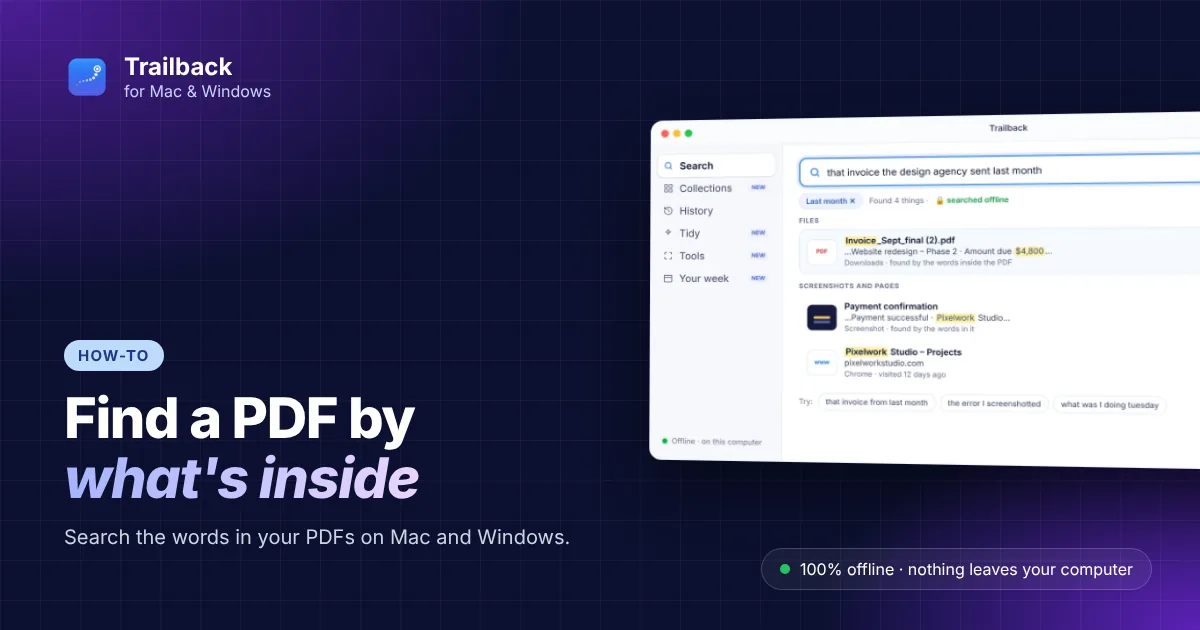
Trailback lets you search the way you remember. It reads the words inside your PDFs and documents, and remembers when each file arrived and where it came from, so you can describe it:
- "pdf" shows only PDFs, and "last month" or "in spring" become a date filter by themselves;
- files you downloaded show the page they came from;
- each result shows the matching line, so you know it's the right one before you open it.

It finds more than PDFs: documents, spreadsheets, the words in your screenshots and the web pages you visited. It works fully offline, so nothing leaves your computer, on Mac and Windows. See pricing.
Stop the pile from growing
- Give PDFs real names when you save them. Trailback's Tidy suggests names based on what's inside, turning
document.pdfintoWater bill – September 2026.pdf. - Clear Downloads once a month. See how to organize files on Mac.
- More ways to find a lost file: on Mac and on Windows.
Find anything on your computer by describing it.
Files, PDFs, the words in your screenshots and the pages you visited. 100% offline. Your data never leaves your computer.
Trailback - a searchable memory of your computer activity
Frequently asked questions
How do I search for text inside PDFs on a Mac?
Use Spotlight (⌘ Space) and type words from the document, adding kind:pdf to see only PDFs. Or press ⌘ F in a Finder folder and choose Contents instead of Name.
How do I search inside PDFs on Windows?
In File Explorer, type ext:pdf and your words in the search box. If it only matches names, turn on Enhanced in Settings → Privacy & security → Searching Windows, or tick Always search file names and contents in File Explorer's search options.
Can I search many PDFs at once?
Yes. Adobe Acrobat Reader's Advanced Search (Shift + Ctrl + F, or Shift + ⌘ F on Mac) searches every PDF in a folder and shows each match.
Why can't I search a scanned PDF?
A scan is a picture of a page with no text in it. Run text recognition first, for example with Trailback's PDF Tools → Make a scan searchable, and then it can be searched and copied.
Pavan is the founder of Trailback, a private, offline app for Mac and Windows that helps you find anything on your computer by describing it. He builds it at Hara Infotech in Hyderabad.
Keep reading
How to Find a File on Mac When You Can't Remember the Name
Eight ways to find a lost file on your Mac, from built-in tricks to searching by what you remember.
How to Find a File on Windows 11 When You Forgot the Name
Eight ways to find a lost file on Windows 10 or 11, from built-in tricks to searching by what you remember.
Spotlight Not Working on Mac? 9 Fixes That Work
Spotlight showing nothing, or not the file you know is there? Nine fixes, from waiting for indexing to rebuilding the index.