Your computer. Your memory. Your privacy.
Trailback - a searchable memory
of your computer activity.
The app that remembers everything on your computer: a private AI memory for Windows and Mac, and a searchable computer history of every page, file and screenshot you've seen. 100% offline.
Flat $10 OFF$19 $9 lifetime · pay once
MacWindows
Pay once · Your data never leaves your computer · Mac & Windows
Offline · on this computer
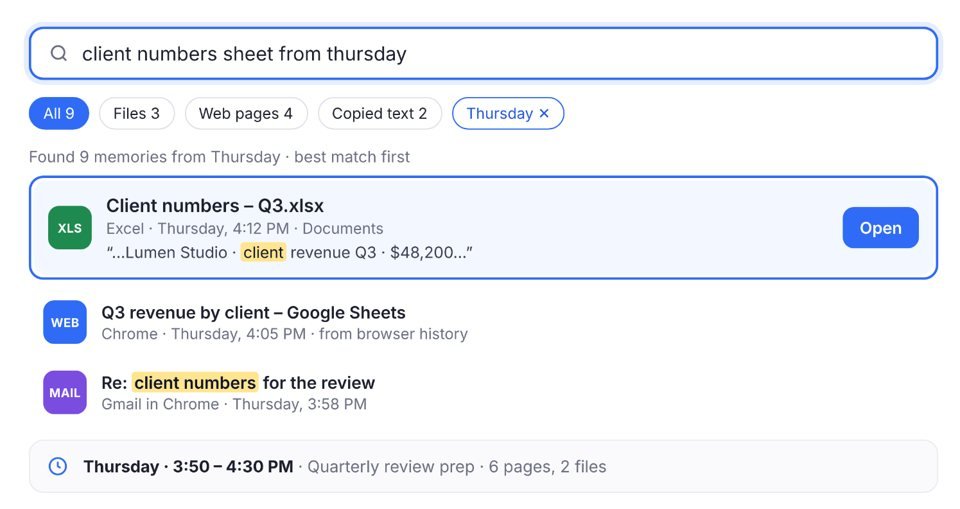
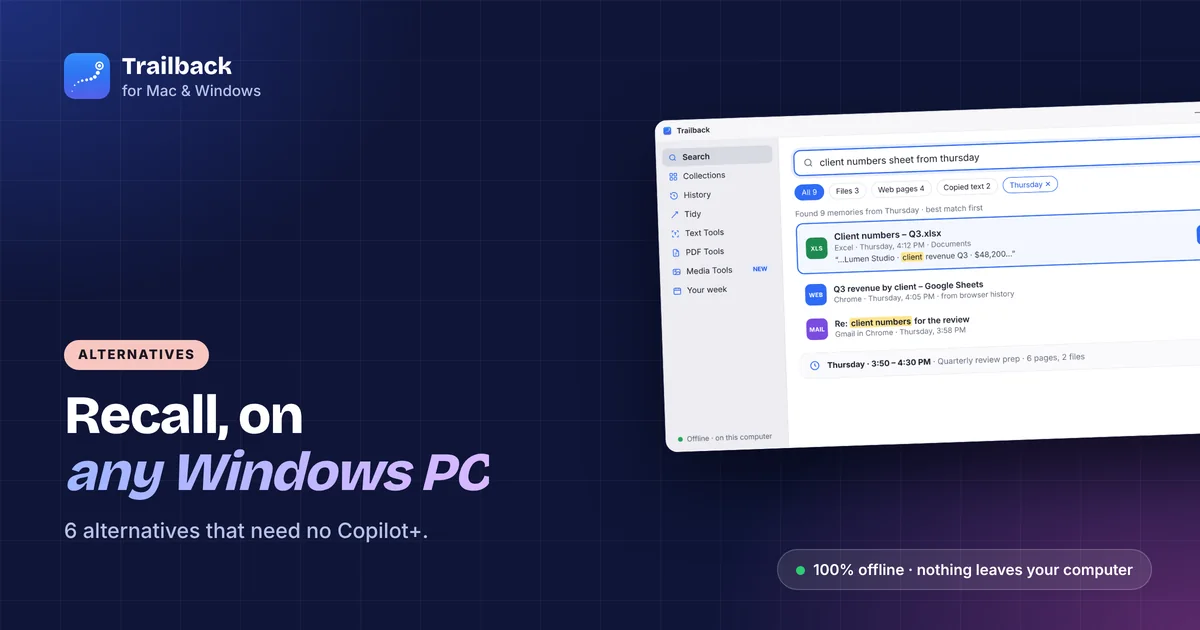
Found 9 memories from Thursday · best match first
4 résultats · le meilleur en premier
4 resultados · el mejor primero
Type it in English, French, Spanish and 7 more languages.
Offline · on this computer
What was I doing?
Pick a moment and Trailback puts that time back together, in order.
Yesterday · 2:45 PM – 4:10 PM
72 minutes active · Looks like: Kitchen renovation
8 pages, 3 files and 1 app↻ Reopen all 12
 Inbox (3) – riya@gmail.comGmail
Attaching the signed rent agreement.
Riya
 Trailback
Files
Offline · on this computer
Tidy
Suggestions only. Nothing changes until you say yes.Rename allFound in DownloadsMove to Private
I used Trailback to turn my Mac activity history into a daily work report with ChatGPT, then saved it to Notion. It helped me discover a practical new way to make use of my everyday work history.
Très bon travail. Je vais pouvoir profiter à fond de toutes les possibilités de cette intéressante application. Super !
Why Trailback
Your computer does a lot.
It remembers very little.
The page, the file, the thing you copied. You saw it, you used it, and now it's gone.
TrailbackNew · AI apps
Ask your AI app.
It asks Trailback.
Connect Claude, Codex or Cursor in one click. Then just ask, in the chat you already use:
find a file, see what you did yesterday, or write your day into Notion.
Claude
Found it. Invoice – Studio Nova – October.pdf, in your Downloads, saved on 14 October.
PDFInvoice – Studio Nova – October.pdf
€1,200 · due 30 November
Codex
Yesterday you were at the computer for about 5 h 40 min:
- 9:10 Client proposal, in Word and Chrome (1 h 20 min)
- 11:00 October invoices, 3 PDFs and Gmail (55 min)
- 14:05 Website copy, in Notion and Figma (1 h 25 min)
Claude
Done. Added “Wednesday” to your Daily journal in Notion.
- Confirmed: pricing page edits, 2 client calls, October invoices sent
- Likely: “Website refresh” project
- Couldn't tell: 25 min in Chrome
Off until you turn it on. Trailback itself stays 100% offline; the AI app sends what it reads to its own service. How it works →
01 · Remember
Remember everything you saw.
Pages, files, screenshots and copied text, found by what was in them.
Remember · Describe it
Search in your language.
You remember what it said, not what it was called.
Type it the way you remember it, and Trailback finds it inside your pages, files, screenshots and copied text.
In English, or in nine other languages.
- Finds words inside PDFs, scans, spreadsheets, slides and screenshots
- Understands “from Gmail”, and “last week” in your language
- Accents optional: resume finds résumé
Pick your languages in Settings → General.
On Windows, reading words in pictures needs that language installed in Windows settings.
Remember · Browser memory
Every page you visit,
remembered.
Clear your browser history, and that page is gone for good.
The free Trailback extension saves every page you read to your computer, so you can find it later by what was on it.
On your Mac or Windows PC.
Trailback shows you the one-click link for your browser.
Pages are remembered quietly in the background.
Private windows are never recorded. Nothing goes to a server.
Remembered




Remember · Searchable computer history
Pick a time.
See what you were doing.
“I had that slide deck open
right before Thursday's call.”
Pick the time, and Trailback shows the pages, files and apps you had open.
One click opens them all again.
Your whole computer history, searchable by time: pick a moment and reopen everything from it.
- Ask “yesterday afternoon” or “last Friday at 3”
- See what you worked on, and for how long
- Reopen everything from that time in one click
Thursday, 22 Oct
‹ Wed · Fri ›Thursday · 2:30 PM – 3:10 PM
Looks like: Getting ready for the team call · 40 minutes
02 · Find
Find it in seconds.
From any app, by what you remember, wherever it came from.
Find · Quick Search
Find it. Use it.
Sat 24 Oct 9:41 AMTrailbackRecent
Coming up
Files
Calculator
Files
Conversion
Screenshots and pages
Top hit
Files
Screenshots and pages
Files
- Recent, before you type
- Answers from your files
- Sums
- Conversions
- Apps
- Open and preview
Opens over any app, even full screen
Shows what you just did before you type
Sums and unit conversions, no internet needed
Press Esc and you're back where you were
Find · Collections
Your files, sorted
the way you remember.
You remember it came from WhatsApp,
not which folder it ended up in.
Trailback groups every file by where it came from, what it is and the project it belongs to.
Nothing is moved.
- By source: everything from WhatsApp, Gmail, Drive or ChatGPT
- By type: invoices, contracts, screenshots, photos
- By project: one click turns it into a real folder
The site each download came from
 WhatsApp
158 files · photos, PDFs
Gmail64 files · attachments
 Google Drive
38 files · shared docs
 ChatGPT
34 files · images, exports
Your projects
Find · Upcoming dates
Never miss a renewal.
The date is in a PDF somewhere: a policy, a bill, a passport scan.
Trailback reads your files and lists what's coming up.
You see it before it's due.
Mobile bill – Oct.pdf
Passport scan.pdf
03 · Get things done
Then get it done.
Small jobs, done on your computer, without another app.
Get things done · Tidy
Messy files, sorted.
Only when you say yes.
“download (3).pdf”, “IMG_4823.HEIC”,
“Untitled.docx”. Sound familiar?
Trailback reads each file and suggests a real name and a proper folder.
Nothing changes until you say yes, and Undo puts it all back.
- Real names from what's inside each file
- Finds ID scans and bank statements lying around, and keeps them safe
- Shows the space you can get back: copies, old installers
Give 23 files proper names
Suggestions only. Everything can be undone.Rename all4 ID scans sitting in Downloads
Move to Private
Get things done · Small tools
Small tools you'll use every day.
Small jobs shouldn't need another app, or a website that uploads your files.
These are built in and work offline.
Mail · 11:20 AMCopy
Chrome · yesterdayCopy
Copied text
Text Tools · Everything you copied, kept.
Passwords and card numbers are skipped.
Delivery: 14 Nov
Grab text
Text Tools · Copy the words, amounts and links from any screenshot or photo.
Email riya@example.com
Hide private info
Media Tools · Hide card numbers, emails and phone numbers before you share.
PDF Tools
Join, split, rotate and lock PDFs right on your computer.
Media Tools
Make pictures smaller, change their type, turn them into a PDF and remove the location.
Get things done · Add a background
Add a background.
Ready to post.
A plain screenshot looks unfinished when you post it.
Pick a background and a size, and save.
It works for screen recordings too, and your original is never changed.
- Gradients, colours, a blur or your own picture
- Moving backgrounds for videos, with the sound kept
- 16:9, 1:1 or 9:16, and a Mac window frame
Your privacy
100% Offline &
100% Private
Your data never leaves your computer.
No account, no cloud, nothing to upload.
An offline alternative to Microsoft Recall: no screen recording, no cloud, and it works on any Windows 10 or 11 PC, not only Copilot+ PCs, plus Mac.
Settings · Privacy
Choose what Trailback remembers. Everything stays on this computer.
Private windows are never recorded.
Skips passwords, codes and card numbers.
Nothing from it is ever kept.
Settings · Storage
Your memory, on this computer only.
Keep memories for
One price. Yours forever.
Pay once. No subscription.
Lifetime license Flat $10 OFF
$9$19one-time payment
$9One license per computer
Secure checkout by Dodo Payments.
License key sent by email. Refund policy
Everything included
- Describe it, History, Collections and Your week
- Quick Search from any app, on your own shortcut
- Tidy and upcoming dates found in your files
- Text, PDF and Media Tools, including Add a background
- Chrome, Edge, Firefox and Brave, plus Safari and Comet on Mac
- Reads your existing files from day one, in many languages
- Your day written up by Claude or Codex, if you want it
No account, no cloud
Included
To a new computer any time
If it's not right for you
Already bought? Download Trailback, then paste the license key from your purchase email.
Mac: macOS 13 or later · Windows 10 or 11, from the Microsoft Store
Loved by founders and builders.
Real posts on X.

Congratulations on the launch and wish you the best 🥳

finally a way to find that one pdf from three weeks ago without turning my office into a crime scene

Looks like a solid product. 🥂

Looks like a good product. Good use case. Curious what tool you used for the video generation

Consider me a fan! 🙋♂️

Congrats Pavan 👏 Trailback looks like a solid app. 🔥

Amazing 🤩🤩🤩
Macの中のファイルを探すのに使っています。日本語の検索とOCRに対応しているので、ファイル名を思い出せなくても、中身の言葉から探し出せます。ファイル名も勝手に変えず、提案を確認してから変える進め方なので安心です。購入前に開発者へ質問したときも、返信が早く丁寧でした。
In short
Trailback is a memory for your computer.
The Trailback app for Mac and Windows remembers what you did, so you can find it again by describing it.
On a Mac it is a Spotlight alternative that also finds web pages, screenshots and copied text by what was in them.
On Windows it is a Windows Recall alternative that works on any Windows 10 or 11 PC, without taking pictures of your screen.
What it does
- Remembers the web pages you visit (free extension for Chrome, Edge, Firefox, Brave, Comet and Safari), the files and PDFs you open, the screenshots you take and the text you copy.
- Reads the words inside PDFs, documents, spreadsheets, slides and screenshots, so you can search by what something said.
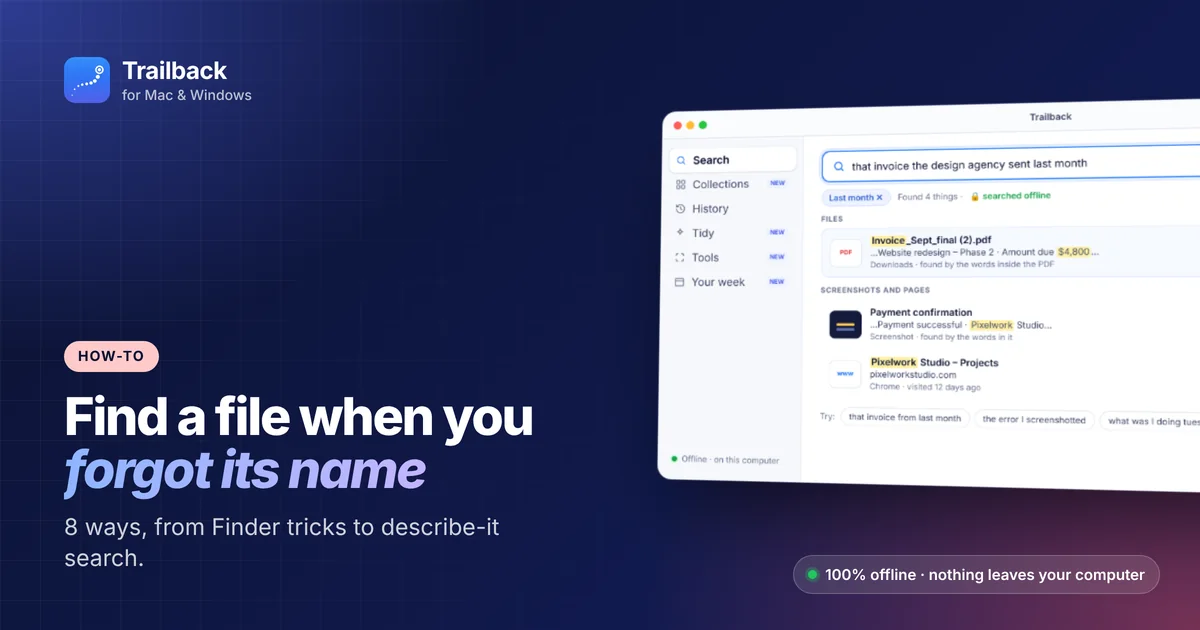
- Describe it: type what you remember, like “the invoice from the designer last month”, and it finds the file, page, screenshot or copied text.
- Quick Search from any app: press Option + Space on Mac (Alt + Shift + Space on Windows), find a file and drag it into an email or chat.
- Pick a moment: choose a time, see everything you had open, and reopen it all in one click.
- Your day, written up: connect Claude, Codex or Cursor if you want to, and they can write a short journal of your day. Or save a Day report for any day, in your own time zone.
- Works in English, Japanese, Chinese, Spanish, French, German, Portuguese, Italian, Dutch and Polish.
- A cross-platform digital memory app for Mac and Windows: the same app and the same features on both (each license is for one computer).
Privacy
- 100% offline. No cloud, no account, no tracking. Works with Wi-Fi off.
- Everything is stored encrypted on your own computer.
- Passwords, one-time codes and card numbers are skipped. Private and incognito windows are never recorded.
- You choose how long memories are kept, and you can delete anything.
- A private AI memory for Windows and Mac. It never records your screen or audio.
For Mac (macOS 13 or later) and Windows 10 and 11.
Pay once, every future update included, 7-day money back.
Questions
Something else?
Write to support@trailback.app.
The app
Is Trailback a Spotlight alternative?
Yes. Spotlight finds a file when you remember its name.
The Trailback Mac app finds it when you only remember what was in it, and it also finds web pages, screenshots and copied text. See Spotlight alternatives for Mac.
Is Trailback an offline alternative to Microsoft Recall?
Yes. Trailback is one of the offline alternatives to Microsoft Recall. It doesn't record your screen. It remembers the pages, files, screenshots and copied text you used, and keeps everything encrypted on your computer. Recall needs a Copilot+ PC; Trailback works on any Windows 10 or 11 PC and on Mac.
What app remembers everything I do on my computer?
Trailback. It's an app that remembers everything on your computer, offline: the web pages you visit, the files and PDFs you open, your screenshots and the text you copy. You find any of it by describing it in your own words.
Is there a private AI memory app for Windows?
Yes. Trailback is a private AI memory for Windows 10 and 11, from the Microsoft Store. Everything stays on your PC, with no account and no cloud.
Does it work with files in other languages?
Yes. Search works in English, Japanese, Chinese, Spanish, French, German, Portuguese, Italian, Dutch and Polish, including the words in screenshots and scans. Choose your languages in Settings → General.
Can AI apps like Claude, Codex or Cursor use my Trailback memory?
Only if you turn it on. In Settings → AI apps, connect Claude Desktop, Codex or Cursor in one click, and choose what they can see. Passwords, card numbers and your Private folder are always hidden. Trailback stays offline, but the AI app sends what it reads to its own service.
One good use: write your daily work journal from what you actually did.
Will it slow my computer down?
No. It works quietly in the background.
Which computers does it work on?
Mac (macOS 13 or later) and Windows 10 and 11. Trailback is a cross-platform digital memory app: the same app and the same features on both (each license is for one computer).
Buying
How do I activate my license?
Open Trailback, paste the key from your purchase email and click Activate. That's it.
Can I move my license to a new computer?
Yes. Use it on any of your computers, one at a time.
Where do I get the Windows version?
From the Microsoft Store. Use the same license key to unlock it. See how to find a file on Windows with Trailback, and how it compares in Microsoft Recall alternatives.
Privacy
Is it recording my screen?
No. It remembers what you did (pages, files, screenshots you took, apps, copied text), never your screen or passwords.
Does anything get uploaded?
No. Everything stays on your computer. It goes online only to check your license key and get updates.
Can I stop it remembering something?
Yes. Pause it, ignore any app, site or folder, or delete one item, a period, or everything.
 Trailbackfor Mac & Windows
Give your computer
a memory.
Pay once · Mac & Windows · Your data never leaves your computer