Trailback for freelancers

See what you worked on, for every client.

At the end of the week you need to know where the time went, find the contract a client sent in March, and not miss the invoice date. Trailback remembers what you did on your computer and keeps it there. 100% offline, on Mac and Windows.
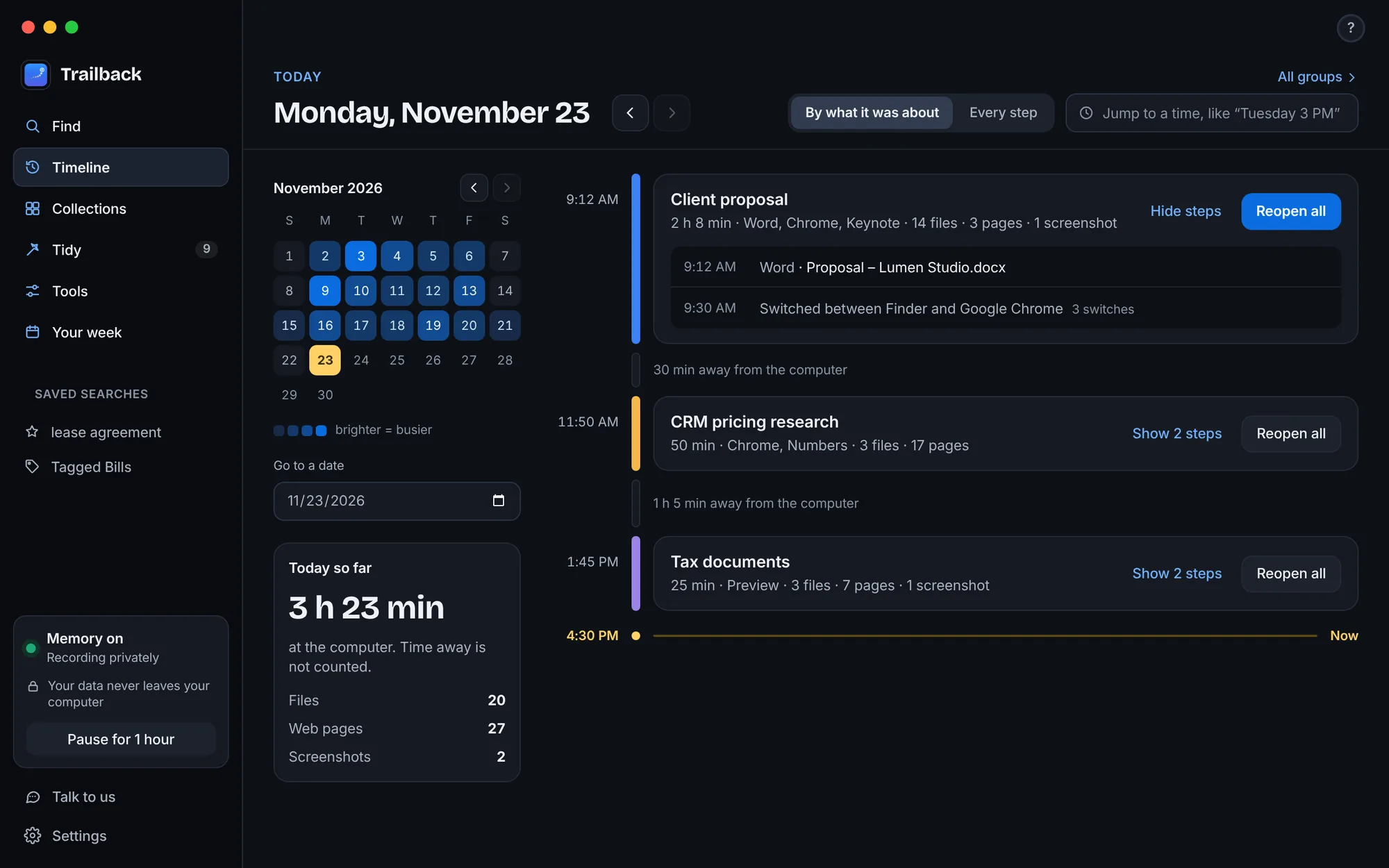
Trailback Timeline: one day shown as blocks of work, each with its files, pages and screenshots

Your day, already written down

Timeline shows each day as blocks of work: the files, pages and apps you had open, in order, with the time you were at the computer. Time away is not counted. Open any block and reopen everything in it with one click.

  • Pick any day and see what you worked on, without having started a timer
  • Save a Day report for a day or a period, in your own time zone, to copy into a timesheet or an update for a client
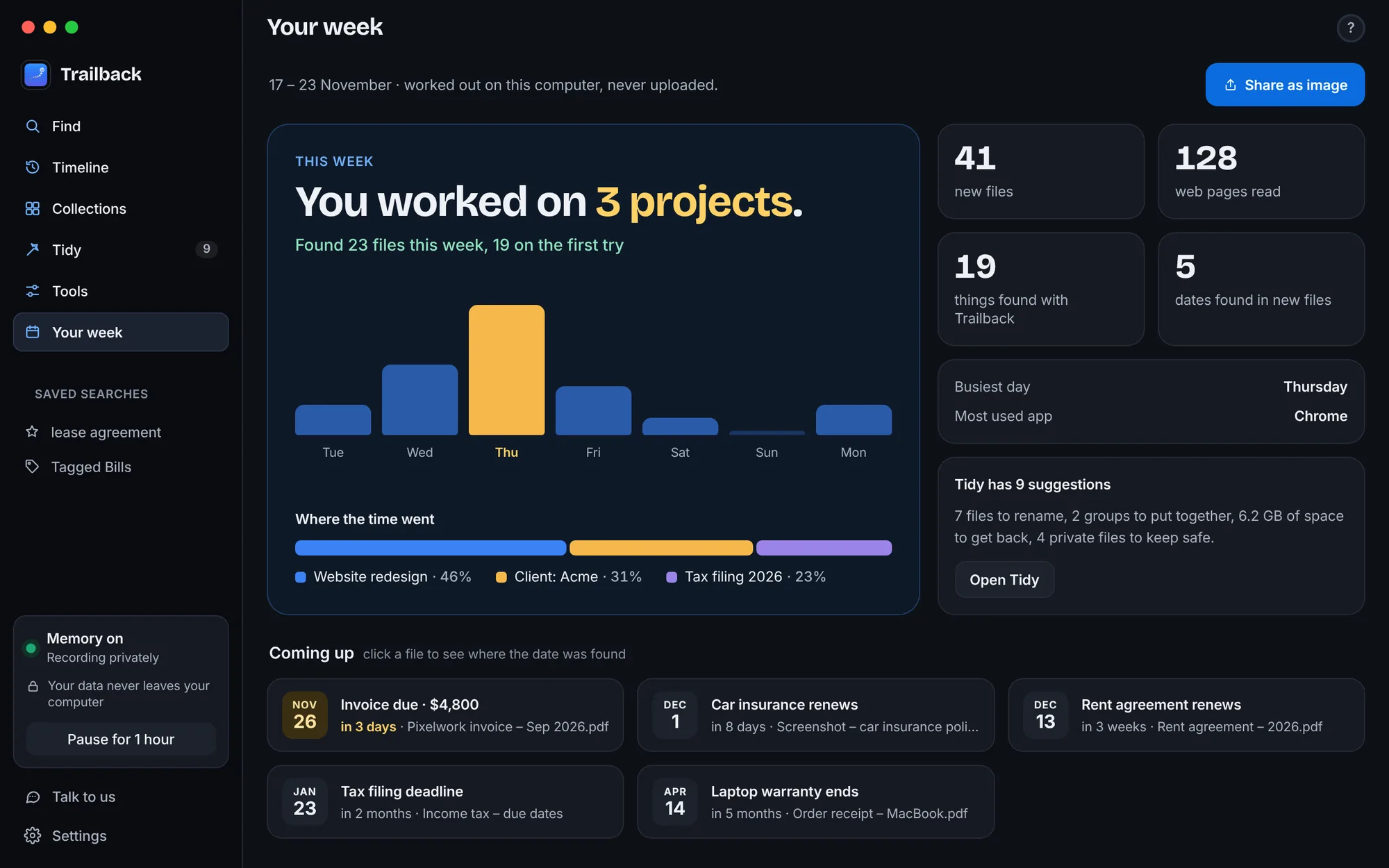
  • Your week shows the projects you worked on and where the hours went

Trailback is not a billing tool. It does not make invoices or track rates. It gives you an honest record of what you did, so your timesheet takes minutes instead of guesswork.

Searches that work

  • "the contract the design agency sent in March"Finds the PDF by the words inside it, wherever it was saved.
  • "invoice for the website redesign"Finds the invoice, the page you downloaded it from, and the screenshot of the payment.
  • "the brief I downloaded last week"Downloads are remembered with the site they came from.
  • "what was I working on Thursday morning"Timeline answers it, block by block.
Trailback Your week: projects worked on this week, a bar for each day, new files, pages read and dates coming up
Your week: projects, days and the dates coming up

Dates you would otherwise miss

Trailback reads the dates inside your bills, contracts and policies, and lists the ones coming up: an invoice that is due, a subscription that renews, a contract that ends. Click one to see the file it was found in.

Client files stay on your computer

Your data never leaves your computer. There is no cloud and no account, so a client's documents are not uploaded anywhere. Trailback works with Wi-Fi off and keeps everything encrypted. You can tell it to ignore any app, website or folder, and delete anything it has remembered.

Related guides: how to see what you were working on yesterday, a daily work journal written for you, and how Trailback sits next to other apps on the compare page.

Pay once. Yours forever.

Trailback is the same app on Mac and Windows. One-time purchase, every future update included, 7-day money back.

Questions?

Tell us how you use it, or where you got stuck.

Talk to us